
Dynamo-Browse
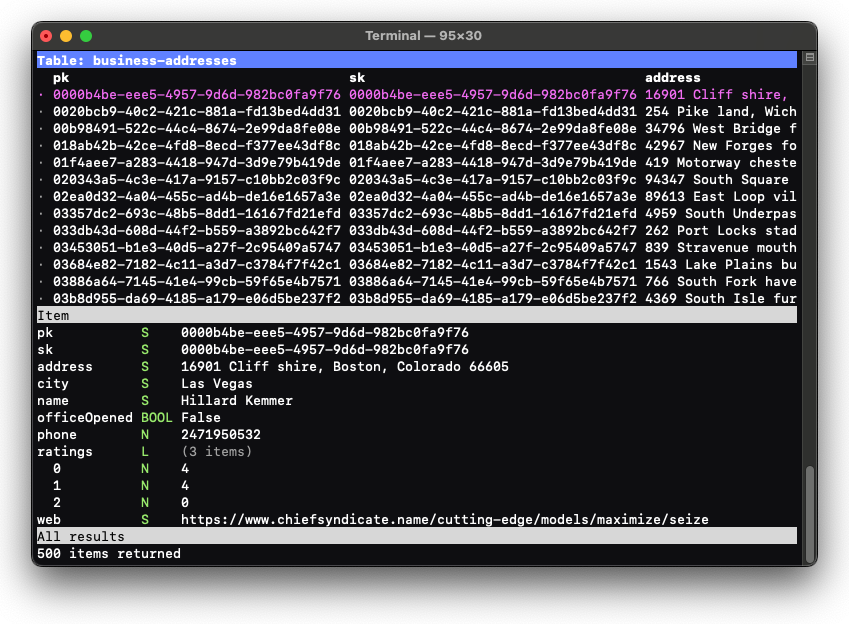
Dynamo-Browse is a terminal-based UI (TUI) app for working with DynamoDB tables. With it, you can quickly connect to and browse the contents of a DynamoDB table in your AWS account or local machine. There are some basic facilities for editing as well.
Getting Started#
This video gives a brief introduction of how to use Dynamo-Browse to view the items of a DynamoDB table:
More information about the tool can be found within the Dynamo-Browse user manual.
Download#
Binary packages for MacOS and Linux can be found at Forgejo.
MacOS Using Homebrew#
If you have Homebrew, you can install Dynamo-Browse using the following command:
brew tap lmika/dynamo-browse https://lmika.dev/casks/dynamo-browse
brew install dynamo-browseGo#
If you have Go installed, you can install Dynamo-Browse using the following command:
go install lmika.dev/cmd/dynamo-browse/cmd/dynamo-browse@latest