Querying and Filtering Results#
Querying#
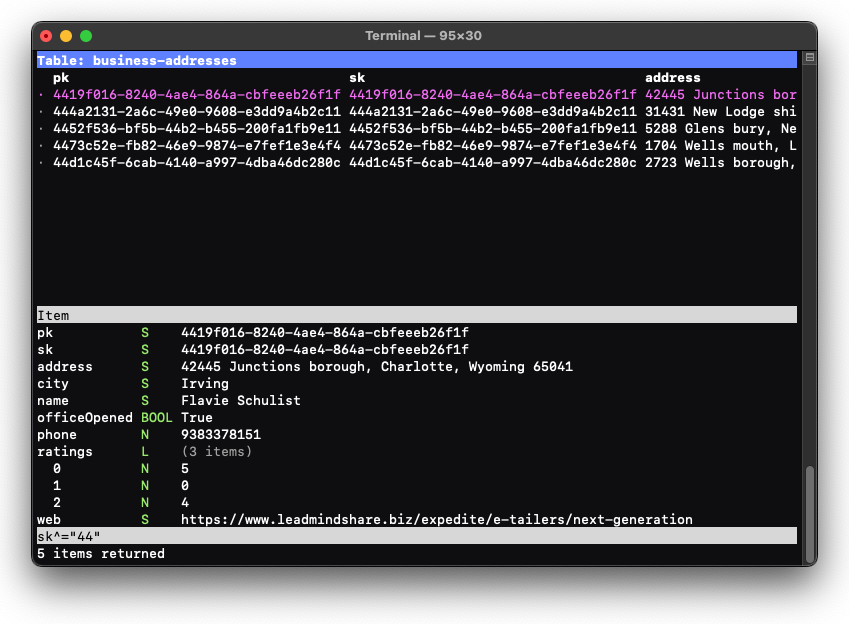
A query or scan over the table can be performed by entering a Query Expression. Query expressions are a built-in expression language which translates to either a DynamoDB query or scan, depending on the expression.
Query expressions are entered as expressions, with most being of the form attribute operator value.
For example, the expression for selecting records where color equals red is:
color = "red"The color attribute can either be a partition key, sort key, or a regular attribute. Dynamo Browse
will do it’s best to run the query as a DynamoDB query if possible. Usually query expressions of the
form pk = <something> or pk = <something> and sk <comparison> <something> where pk is a partition key,
sk is the sort key, and <comparison> is one of the equality,
numerical comparison, or
prefix operator, will be executed as queries.
Other expressions will be executed as scans.
Details about the Query Expression language can be found in the Query Expressions references.
To run a query, press ?, and enter the query expression.
To clear a query, press ?, and press Enter without entering any value.
While the query is running, a spinner indicating activity will be shown in the status bar. A running query can be cancelled while this spinner is visible by pressing ^C. You have the option to view any partial results that have been retrieved at the time.
Filtering#
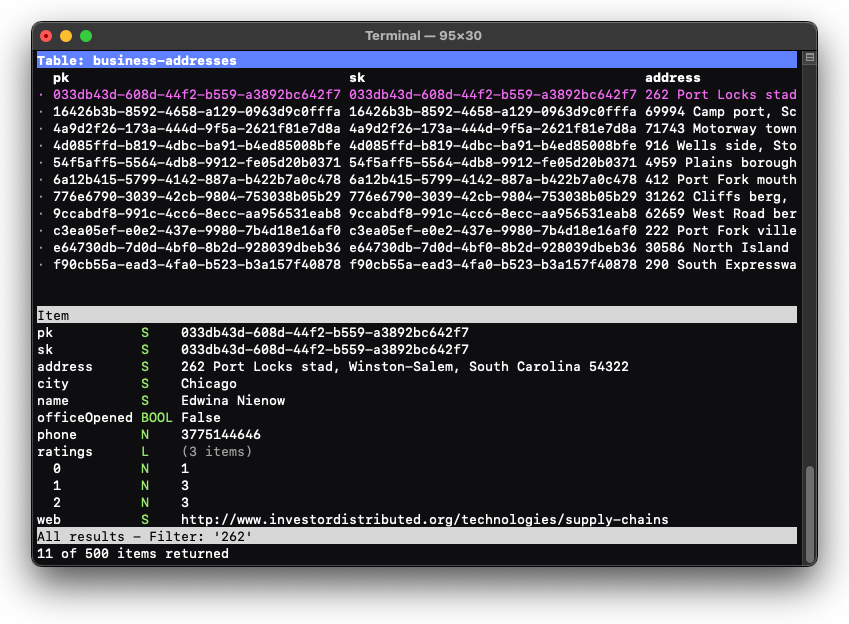
The displayed items of the current result-set can be filtered down to those that contain a specific substring.
To set the filter, press /, and enter the substring you wish to filter on.
To clear the filter, press /, and press Enter without entering any value.
When a filter is set, any item that does not have a top-level attribute containing the substring will be hidden.
Filtering will only consist the items that are in the current result-set. It will not result in a call to the actual table itself.
Note that filtering is case sensitive.